Clear cart pages
Choose 10 to 60 carts per page, hide empty positions and organise complete shows without losing the visual overview.
Give presenters, DJs and producers a fast cartwall for station IDs, beds, effects, sponsor audio and recurring show elements—with the output control a live studio actually needs.
A cartwall should shorten the distance between deciding and playing. It should not make a presenter navigate a database while the microphone is open.
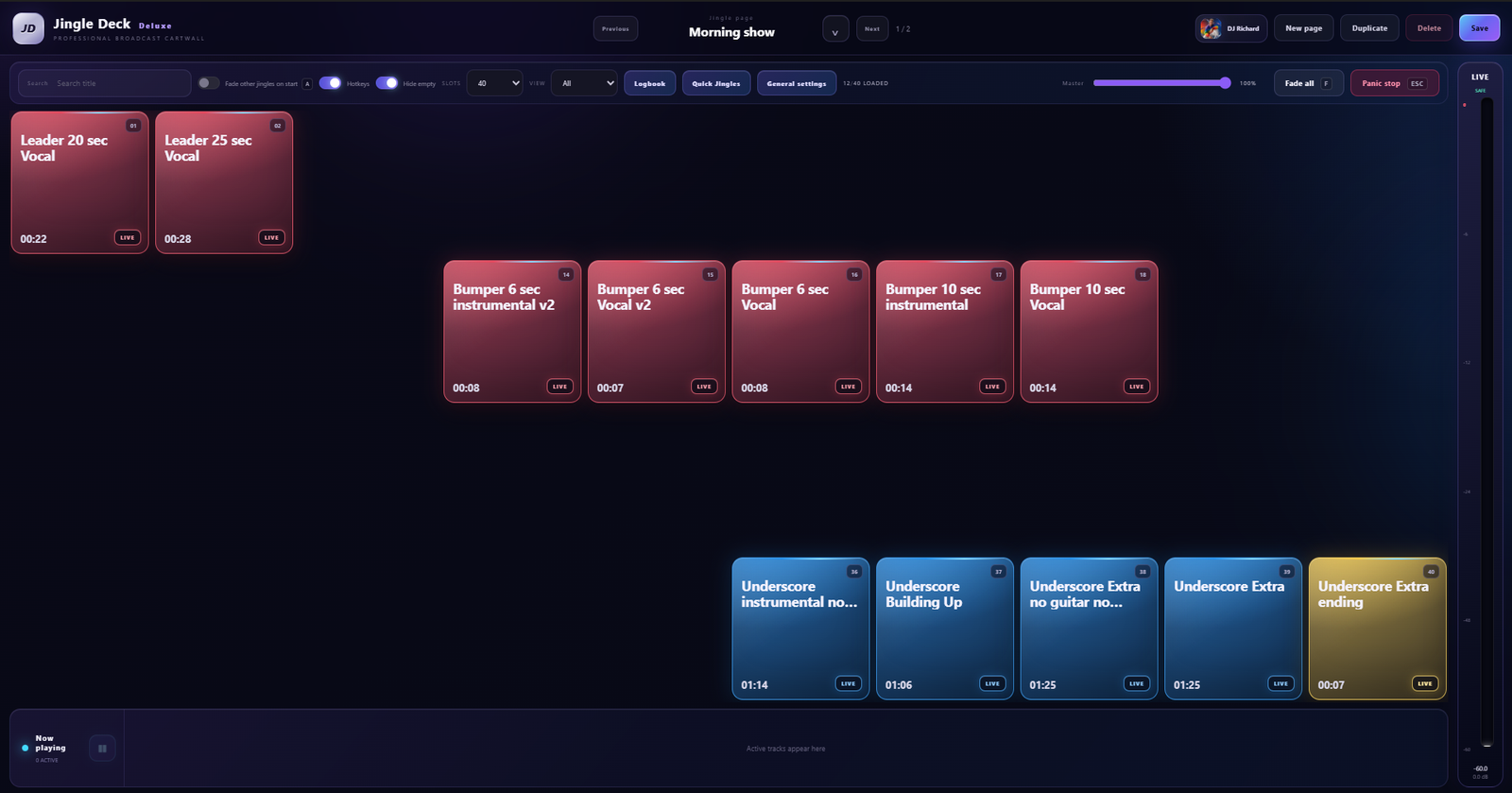
Choose 10 to 60 carts per page, hide empty positions and organise complete shows without losing the visual overview.
Listen in headphones or another selected output before a jingle, sponsor message or bed reaches LIVE.
Trigger the sounds you use most from a keyboard or hardware controller while the cart state remains visible.
JingleDeck stores timing and playback behaviour with each cart so operators do not repeat the same setup during every programme.
When the metadata is available, the JingleDeck logbook can record title, performer, composer, reference, label or campaign, category and operator. CSV and PDF exports use the same underlying fields, so the readable report does not lose details that exist in the data.
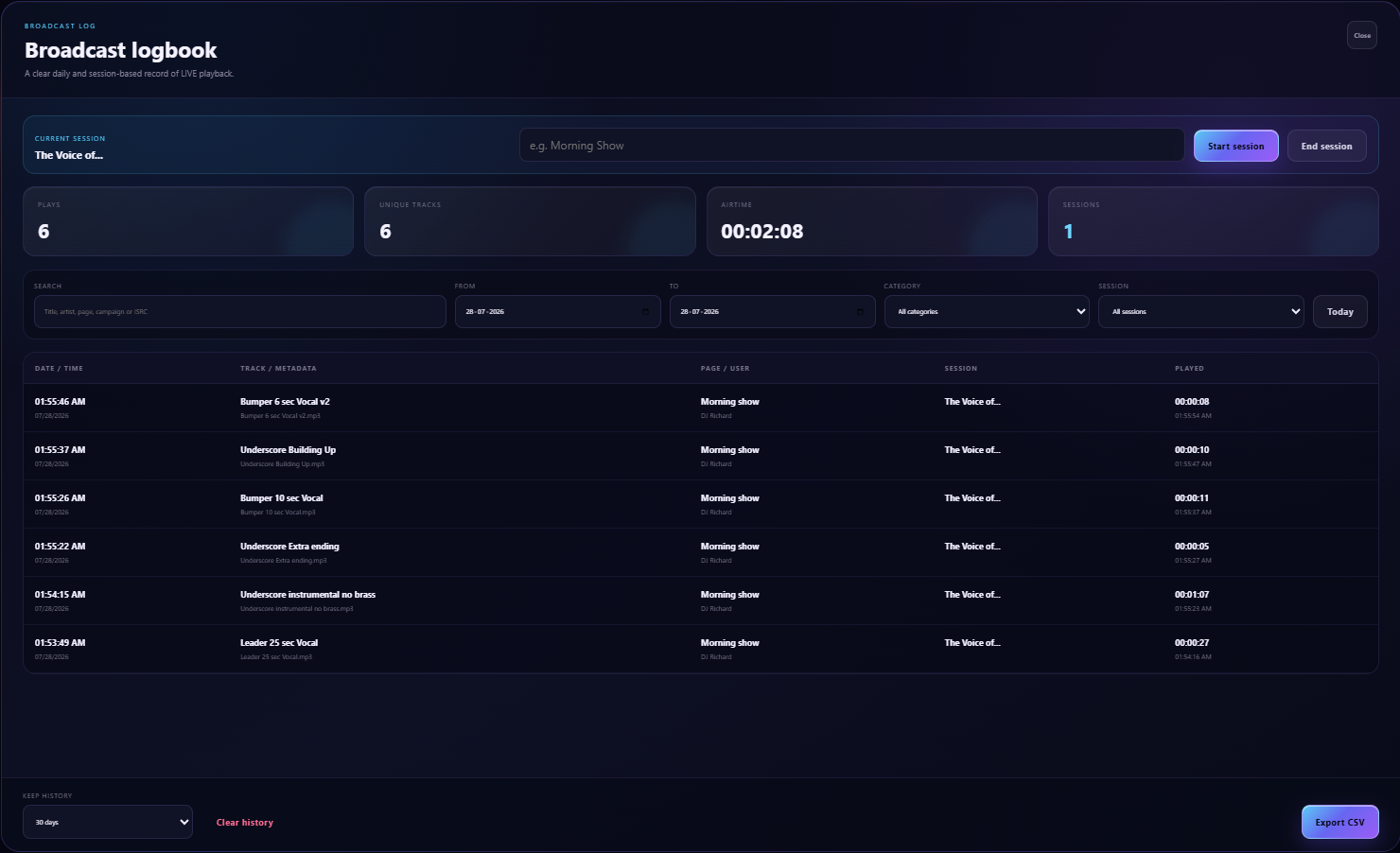
The same fast workflow works for podcast stings, livestream effects, competition sounds, sponsor messages and studio beds. You can use the cartwall independently or open JingleDeck GO alongside it for a complete running order.

Use Windows default when that is your deliberate choice, or bind a route directly to another physical Windows playback device.
Give jingles, fillers, effects and sponsor audio a useful default LIVE/PFL route.
Route an exceptional cart differently without changing the rest of its category.
If a selected physical device disappears, JingleDeck reports that route instead of unexpectedly using the laptop speakers.
Set the lower level and fade timing while JingleDeck limits the change to audio using the same LIVE/PFL route and playback device.
It presents jingles, music beds, effects and other short audio as clear carts that can be triggered immediately during a live programme.
Yes. PFL can use a separate selected Windows playback device while LIVE audio uses its own intended route.
Yes. Active tracks receive their own player with waveform, elapsed and remaining time, volume, pause and stop controls.
Yes. Keyboard and MIDI shortcuts are part of normal JingleDeck cart operation.