01 · Cart pages
Flexible cart pages
Use 10 to 60 carts, create multiple pages, hide empty carts, search titles and filter by category.
JingleDeck keeps instant playback fast. JingleDeck GO keeps complete productions clear. Both share the same commitment to readable control and reliable local audio.
Pages of visual carts for jingles, beds, effects, sponsors and every sound that must remain one action away.
Use 10 to 60 carts, create multiple pages, hide empty carts, search titles and filter by category.
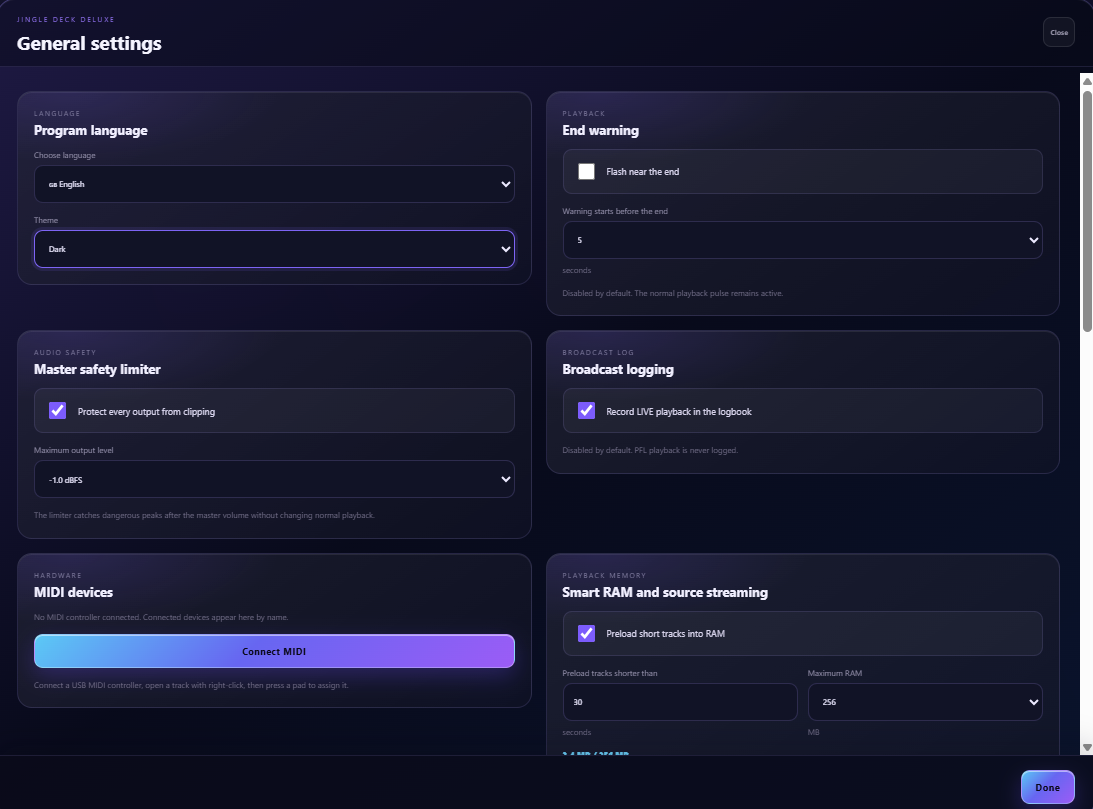
Choose physical playback devices by category or cart and preview privately on a separate route.
Multiple simultaneous players, waveforms, time, seeking, volume, pause and stop remain visible.
Assign fast controls while preserving the existing start, restart, toggle and one-shot playback modes.
Keep recurring audio available in a compact row, independently or linked to a master cart.
Lower Fillers or all other audio while a cart plays, with an adjustable level, fade down and automatic return on the same route and playback device.
Choose automatic fading for everyday transitions and keep deliberate all-audio fade and emergency stop controls immediately available.
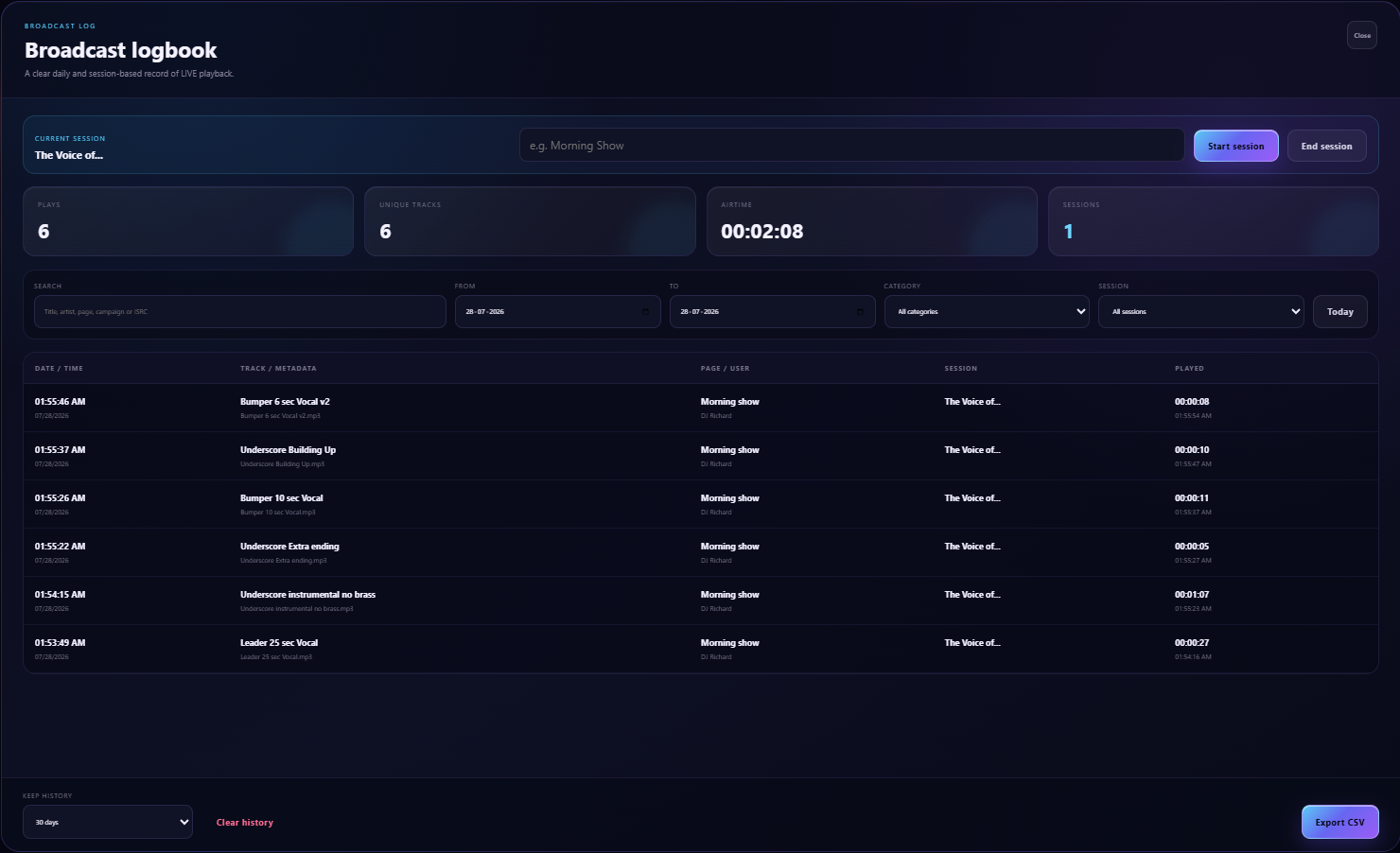
Record LIVE playback and export matching track metadata to both CSV and PDF.
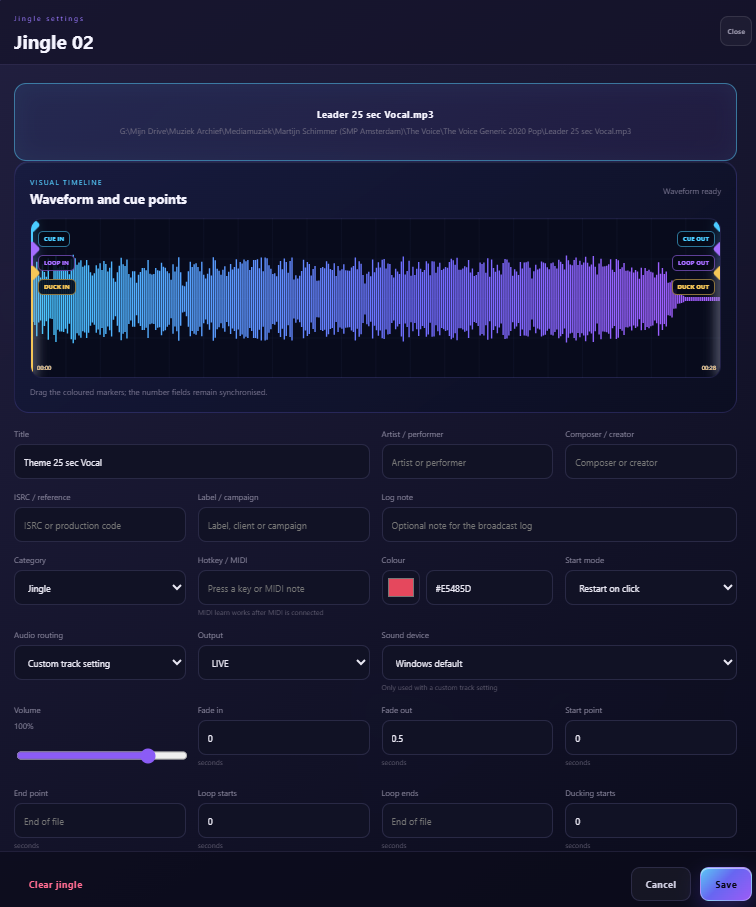
Timing, sound, routing, versions and show information live together without turning the normal cart into a technical dashboard.
Store multiple audio versions under one cart and select by weekday, time, date, page or operator.
Control volume, EQ, limiter, fades, ducking behaviour and optional local analysis for leading silence and loudness.
Build a musical bed with one intro, a variable-length middle and a proper ending.
Name exact moments such as vocal start, applause or final chord for operator and presenter use.
Export pages or the entire deck with audio and advanced settings in one integrity-checked package.
Set cue-in, cue-out, fade-in, fade-out, loop points and the ducking window as independent values on the waveform.
A standalone production workspace for theatre, events, performances, location shows and ordered artist sets.
Add naturally sorted files directly as cues, edit names inline, drag positions and organise sections.
Start audio, add text markers or combine ordered actions with timing, notes and presenter details.
Keep interval music, walk-in audio and ordered artist sets separate from the main cue sequence.
Check missing physical files and invalid cue or music-block references before entering Live.
Keep the last cue, next cue, GO and active players central without layout shifts.
Choose an interval and version limit, then recover a previous state without growing one unlimited show file.
Create, rename, duplicate, export and import complete GO productions while keeping the dedicated show package separate from JingleDeck DeckPack.
Connected views remain controlled by the main Windows computer, where all audio continues to play.
Show current and next cue, elapsed or remaining time, large presentation text, MomentMap alerts, optional sponsor information and TalkSafe status.
Use MomentMap points to communicate wait, standby and talk states without changing the audio.
Connect locally by QR or code, approve the device and grant optional control only when intended.
Share a link or QR code so an artist can upload several tracks, correct titles, remove files and set the final order. Review the submitted set before adding it as a music block, GO cues and an optional announcement cue.
Keep JingleDeck and GO open together and place them on different screens when the production needs both.
Use keyboard learning, MIDI, OSC reception and configured OSC actions as a foundation for external control.
Dark and light themes, compact through extra-large readability modes and a carefully stable layout support different operators and screens.