01 · INSTANT LIVE AUDIOJD
JingleDeck
Play the moment. Build pages of clear, colourful carts and send every sound to the right physical output in an instant.
Explore the professional cartwallTrigger jingles, music and effects instantly with JingleDeck. Build the running order and operate the complete production with JingleDeck GO.
Open the fast cartwall, the complete production workspace, or keep both active on separate screens.
Play the moment. Build pages of clear, colourful carts and send every sound to the right physical output in an instant.
Explore the professional cartwallBuild the running order. Press GO. Prepare cues, music blocks and presenter information, then run the production from one calm Live screen.
Explore show controlEvery cart shows its own colour, title and remaining time, so the next sound is never a guess.
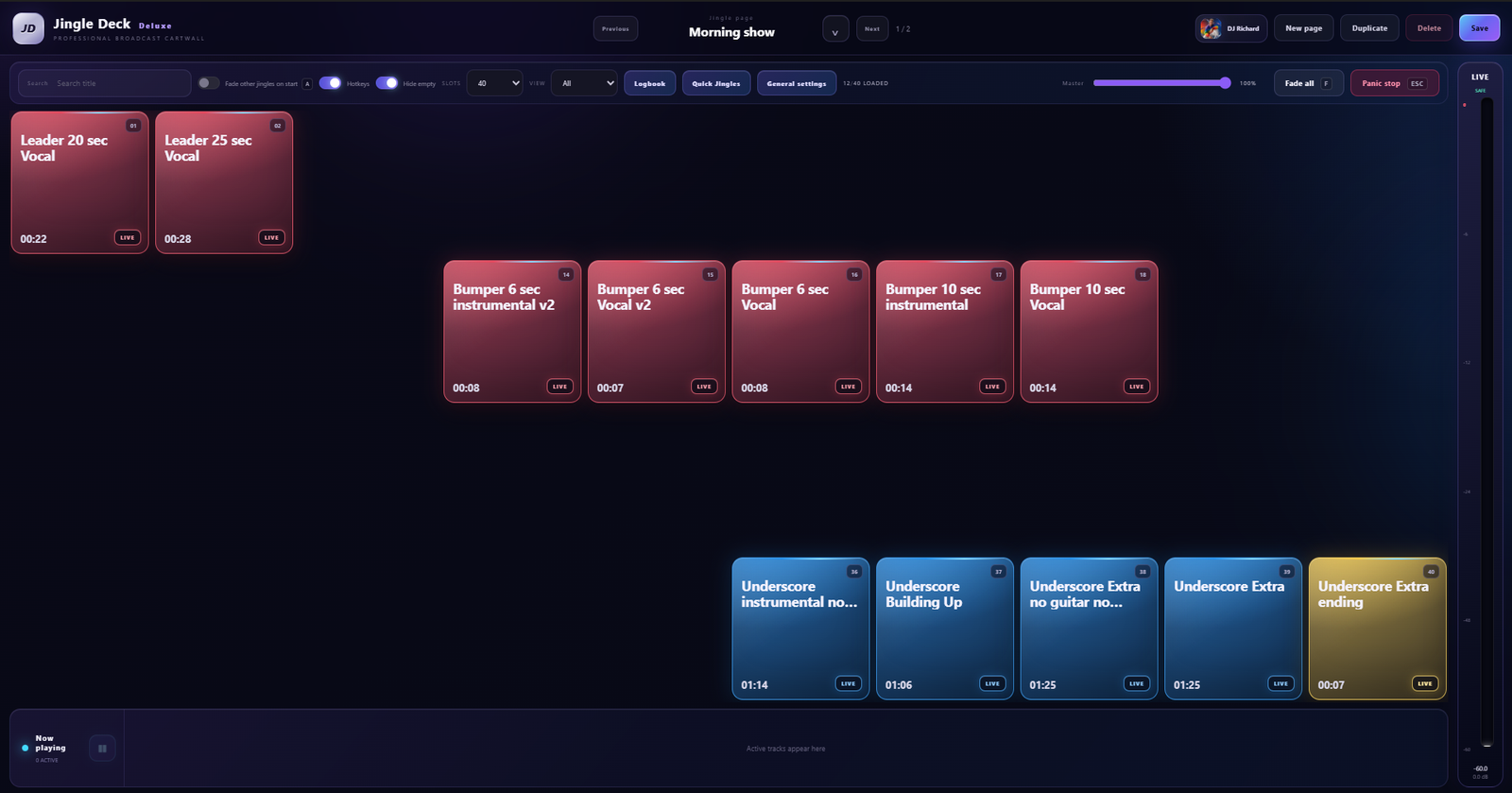
Prepare timing, versions and show information once. JingleDeck remembers the details while you concentrate on the production.
Cue points, fades, automatic ducking, volume, EQ, routing, MomentMap and playback behaviour in one clear track editor.
Keep multiple versions under one cart and automatically select the right one by day, time, date, page or operator.
Play the intro, keep a musical middle running for as long as needed, then release into the proper ending.
Name important moments inside a track and give the presenter clear visual guidance about when to speak.
Show the current cue, next cue, elapsed or remaining time, large script, MomentMap countdowns, TalkSafe and optional sponsor information on a second screen or approved device.
Share a link or QR code, receive a complete ordered artist set and review it before adding music blocks, GO cues and an optional announcement cue.
JingleDeck keeps the everyday workflow obvious and brings advanced control forward only when you need it.
Route LIVE, PFL, categories, carts and GO audio to the intended Windows audio device.
If a selected physical output is unavailable, JingleDeck warns you instead of silently playing through the wrong speakers.
GO checks for missing audio and invalid references before the operator enters the live workspace.
Automatic fading, Fade all, Panic stop and clear active-player controls remain available when the production changes unexpectedly.
Use JingleDeck where timing, clarity and reliable audio matter more than technical spectacle.